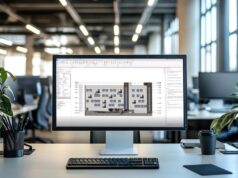
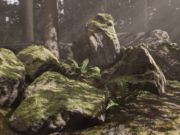



V-Ray 7 introduced a range of new features, including 3D environment creation with Gaussian Splats, immersive virtual-tour experiences, enhanced point-cloud rendering, and more. As BIM continues to evolve at a rapid pace, the question remains: can this version of the software truly stand out and integrate seamlessly into a BIM workflow?
In this article, let’s analyze the most significant updates and how they impact the daily production cycle through a practical workflow scenario.
Fast Environment Creation with Gaussian Splats
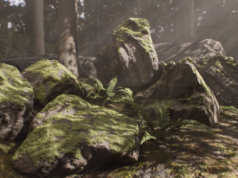
V-Ray 7 introduces a completely new feature using Gaussian Splats, a technology that generates 3D environments and backgrounds. This is an efficient way to leverage point clouds as environments and blend them with the model. The feature is fully integrated into Revit, providing a faster workflow without compromising any phase of the BIM process. This marks a significant step forward in interoperability across different project stages.

Point Cloud Rendering
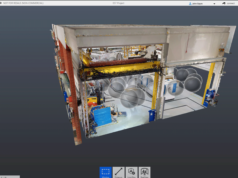
A key addition in bridging architectural visualization and BIM is Point Cloud Rendering. This feature allows designers to seamlessly render point clouds directly in Revit, making it easier to integrate scan data or survey models. Designers can now control every step of the visualization process without leaving Revit, improving efficiency and precision.
Workflow Efficiency Scenario: Historical Renovation
To understand the practical impact of these updates, let’s consider a typical workflow for the renovation of a historical building based on laser scan data.
- The Traditional Method: Previously, integrating a dense point cloud into a high-quality render often required exporting the dataset to third-party software for meshing or optimization—a tedious process involving manual setup and data conversion.
- The V-Ray 7 Workflow: By utilizing native Point Cloud Rendering, the same dataset can be visualized and rendered directly within the Revit viewport.
In testing typical production scenes, this native integration can lead to a reduction in setup and processing time of up to 75%. This efficiency doesn’t just save hours; it allows the BIM team to perform real-time verification of the model against the “as-built” site conditions, ensuring that client presentations are both visually stunning and technically accurate.

V-Ray Frame Buffer
Moreover, the update enhances control over your output images through the V-Ray Frame Buffer. Designers can now perform color correction, apply dedicated vignette layers, and use improved curve tools directly within V-Ray, reducing the need for third-party software. This improvement streamlines the workflow and enhances collaboration between different users.

Immersive Client Presentations with Virtual Tours
One of the most impactful updates is the introduction of interactive virtual tours. Designers can now create immersive experiences featuring hotspots, highlights, and floor plan navigation. This allows clients to engage more deeply with the design, fostering better understanding and feedback during the design process.
Overall, V-Ray 7 brings features that not only improve rendering quality but also strengthen interoperability with BIM workflows, making it a valuable tool for architectural visualization within Revit. The integration of tools like Gaussian Splats, Point Cloud Rendering, and Virtual Tours shows a clear focus on speed, efficiency, and client engagement—essential factors in modern architectural projects.
– article by G. D’Ambrogio