






Adobe has recently released Photoshop 28.0, the latest version of its image-editing software. This major update introduces new AI-powered features for adjusting image lighting, removing unwanted objects, and changing image compositions. It also improves existing AI-assisted editing tools and introduces non-AI features such as Quick Compare, designed to simplify before-and-after comparisons.
The Addition of Relight
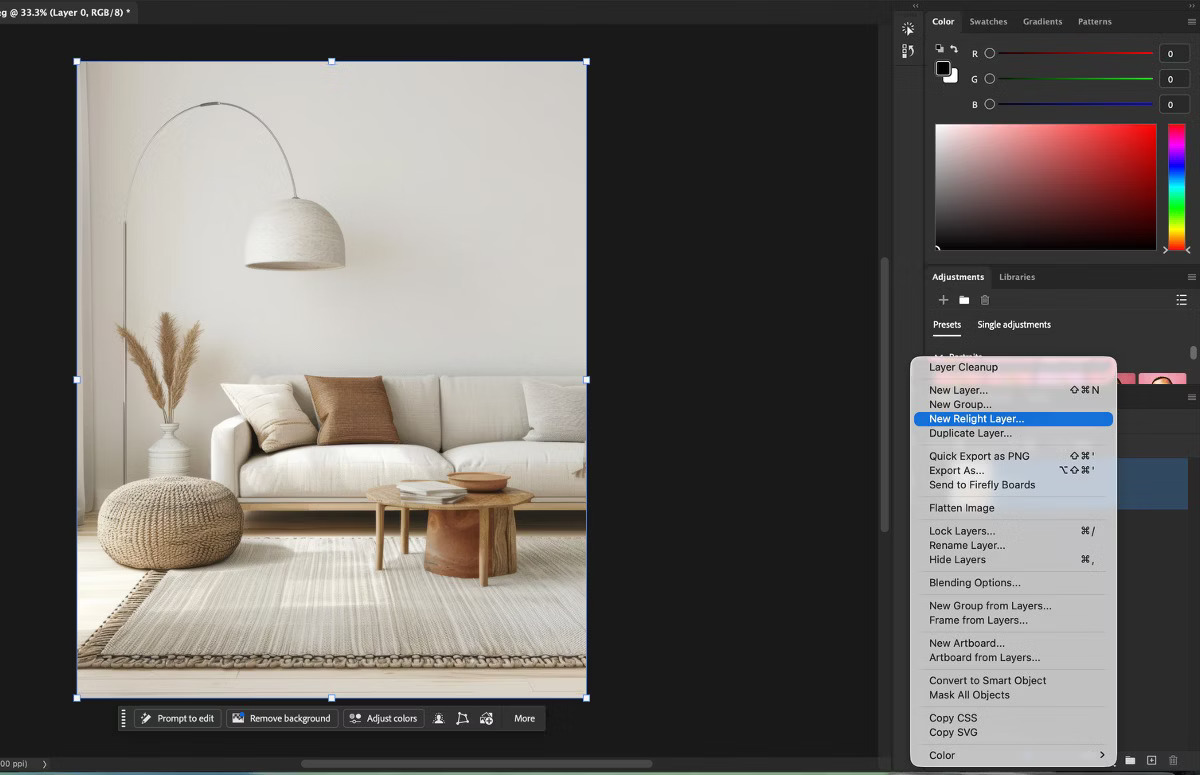
Among the new AI features, Relight is probably the most significant. This tool allows artists to modify the atmosphere of an image by introducing new light sources that take the existing lighting into account.
Relight detects the lighting conditions in the original image and uses them as input to generate new lighting with generative AI. Artists can add up to three light sources and adjust their position, color, intensity, and softness. They can also modify the appearance of existing lighting.
Photoshop creates a separate Relight layer for these adjustments, leaving the original image untouched. This allows artists to experiment with different lighting configurations without permanently modifying the source image. While adjusting the lighting, Photoshop provides a low-resolution preview that updates in near real time. Once the artist confirms the changes, the software generates the final result at full resolution on the dedicated layer.
Since Relight relies on generative AI, processing takes place online and consumes generative credits. Each generation costs 30 credits.
The New Remove Related Elements Option
Photoshop 28.0 also introduces Remove related elements, a new option for the existing Remove tool.
The Remove tool allows artists to eliminate unwanted objects from an image. Photoshop then automatically fills the affected area to reconstruct the background. However, removing an object does not always eliminate the visual traces it leaves in the surrounding environment. This is where Remove related elements becomes useful. The new option can remove not only the selected object but also related effects, including shadows, reflections, smoke, steam, water ripples, and footprints.
For example, removing an object from a reflective surface may also require removing its reflection. Previously, artists often had to handle these corrections separately. With the new option, Photoshop can address these elements as part of the same operation.
Like Relight, this feature relies on cloud-based generative AI processing. Remove related elements consumes 10 generative credits per use, while additional enhancement operations may require more credits.

Generative Recompose
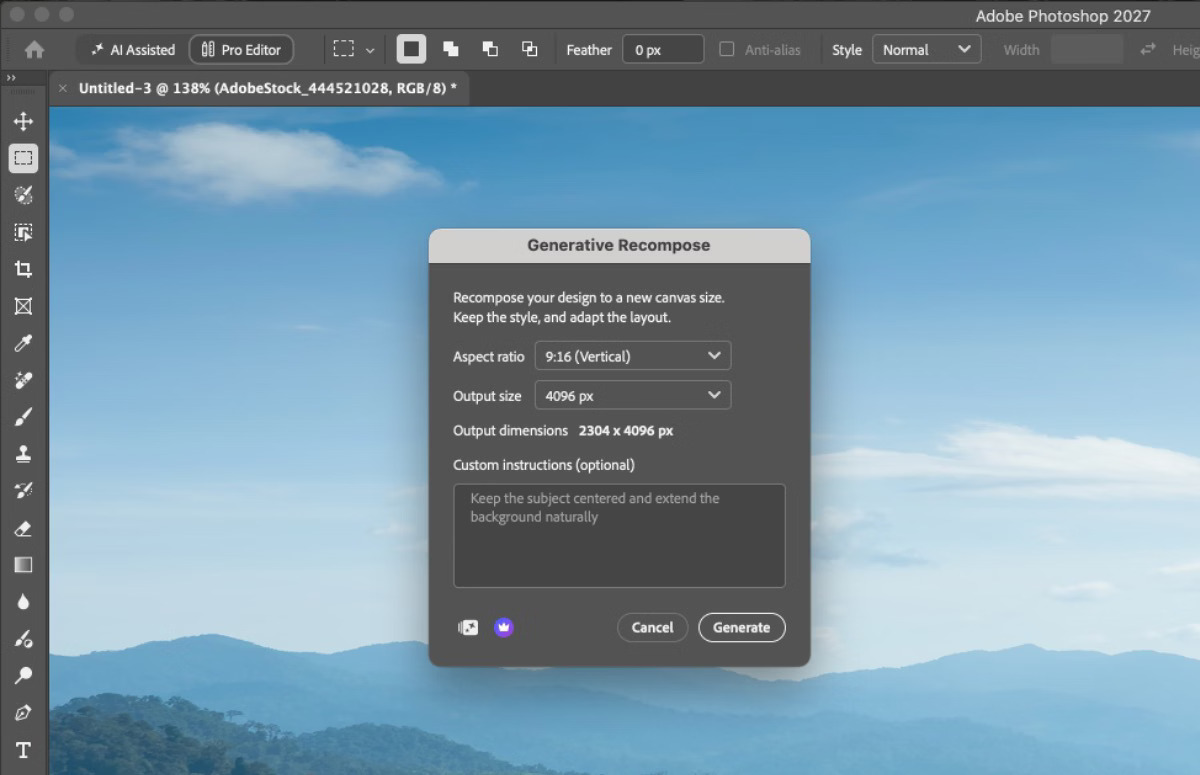
Another major AI feature introduced in Photoshop 28.0 is Generative Recompose. This tool allows artists to change the aspect ratio of an image while automatically repositioning subjects and adapting the background to the new composition.
The feature supports common aspect ratios used for online content and social media, including 16:9, 1:1, and 9:16.
Normally, adapting the same image to different formats may require manually repositioning subjects, extending backgrounds, or modifying the composition. Generative Recompose aims to simplify this process by using generative AI to adjust the image to the selected format. This could be particularly useful for artists and designers who publish content across multiple platforms. It allows them to adapt an existing composition without rebuilding the layout manually for every format.
At the time of writing, the exact number of generative credits required for this feature remains unclear.
Generative Restyle
Another useful AI addition in Photoshop 28.0 is Generative Restyle, which expands the capabilities of Prompt to edit, introduced earlier this year.
The feature allows artists to convert a generated edit into a separate Generative Restyle layer. Photoshop also creates a custom slider that controls the intensity of the effect.
This gives users more flexibility when refining AI-generated modifications. Instead of generating an entirely new result whenever an effect appears too strong or too subtle, artists can adjust its intensity directly.
Generative Restyle consumes 80 generative credits for each custom slider generated.

Firefly Upscaler 2
Another addition worth mentioning is the integration of Firefly Upscaler 2 into Generative Upscale, Photoshop’s AI-powered image-upscaling system.
Generative Upscale allows artists to increase image resolution while improving sharpness and preserving details. With Firefly Upscaler 2, Adobe introduces another model designed to improve image quality during enlargement. This can be particularly useful when preparing images for high-resolution output or when working with source material that lacks sufficient resolution.
Firefly Upscaler 2 consumes 10 generative credits for images up to 25 megapixels and 20 credits for images up to 67 megapixels.
Quick Compare
Finally, one of the most interesting non-AI features introduced in Photoshop 28.0 is Quick Compare.
The new tool is available through the Tools panel and allows artists to compare the original image with its current edited version. Users can switch between different comparison modes, including a left-to-right split view, a top-to-bottom split view, or a single-view comparison.
This feature simplifies a common operation during image editing. Instead of manually hiding adjustment layers or disabling effects to evaluate their impact, artists can quickly compare the original image with the current result.
Although Quick Compare is a relatively simple addition compared to the new AI tools, it could improve everyday editing workflows by making it easier to evaluate changes throughout the process.

A More Flexible Image-Editing Workflow
Photoshop 28.0 continues Adobe’s effort to integrate generative AI into everyday image-editing workflows. Rather than focusing only on generating new content, this update introduces tools that help artists modify and refine existing images more efficiently.
Relight, Remove related elements, and Generative Recompose simplify operations that would otherwise require several manual adjustments. Meanwhile, features such as Quick Compare show that Adobe continues to improve traditional editing tools alongside its AI capabilities.
However, the growing reliance on cloud-based processing and generative credits introduces additional costs for professionals who frequently use these features. Overall, Photoshop 28.0 represents another step towards a more flexible workflow, combining AI-assisted operations with traditional image-editing tools.
To find out more, visit the Adobe Photoshop Official Site.
– article by Giorgio D’Ambrogio