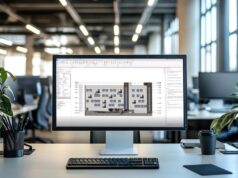


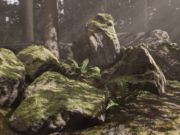


Autodesk has released Recap Pro 2027, introducing new tools designed to make reality capture data more structured and easier to integrate into BIM workflows. The update focuses on mesh classification, metadata, cloud collaboration, interoperability and AI-assisted workflows.
What Is Recap Pro?
Recap Pro is Autodesk’s reality capture and point cloud processing software, designed to transform data from photogrammetry and 3D scanning into point clouds and 3D models.
The software is widely used by architects, engineers and other professionals who need to capture existing buildings and environments with a high level of accuracy. Reality capture can be particularly useful in restoration projects, where scans help designers and engineers document existing conditions and identify structural or architectural elements.
Recap Pro can also generate point clouds and meshes while supporting cloud-based workflows across the Autodesk ecosystem. This makes it a useful link between physical environments and digital design workflows.

From Point Clouds to Structured Meshes
One of the most interesting aspects of Recap Pro 2027 is its approach to organizing mesh data within the broader BIM workflow.
A typical reality capture workflow starts with scanning an existing environment and processing the captured data into a point cloud. Recap Pro can then convert the point cloud into a segmented mesh through its Scan to Mesh workflow. However, the resulting mesh remains primarily geometric. Unlike a BIM model, it does not automatically contain the semantic information needed to identify elements such as walls, doors, windows or other building components.
Recap Pro 2027 addresses this limitation with the introduction of Classification Templates, Template Manager and Custom Metadata. These tools allow users to add structure and information to mesh elements and layers. Users can associate data such as asset identifiers, material properties and standardized classifications with the geometry, making the resulting dataset more organized and easier to manage.
Classification Templates can also be reused across different projects, helping teams maintain consistent structures when processing multiple datasets. This approach can improve interoperability with applications such as Revit and IFC-based workflows. However, it is important to clarify that Recap Pro 2027 does not automatically turn the mesh into a BIM model. Users still need to manually classify the relevant elements within the mesh.
The update therefore represents a step toward more structured reality capture data rather than a fully automated point-cloud-to-BIM conversion.

Bidirectional View State Synchronization
Recap Pro 2027 also introduces Bidirectional View State Synchronization, improving collaboration between desktop projects and cloud-based workflows.
The feature allows teams to create and share views from Recap Pro through the cloud and synchronize those view states with the desktop project. This can make collaboration more efficient by allowing team members to focus on specific areas or elements of a project without modifying the original dataset. It also provides a faster way to communicate and review relevant parts of large reality capture projects.
New Import Options
The interoperability workflow continues with new options for panoramic images during E57 imports.
Recap Pro 2027 can use panoramic image information to detect orientation mismatches between different scans. When panoramic images are captured using handheld or SLAM-based scanning systems, the software can automatically adjust their orientation during import. Users can also preserve the original image orientation when required.
This provides more control over scan alignment and can help produce more consistent results when working with datasets captured from different devices.

AI-Assisted Workflows
Autodesk has also announced the Autodesk Assistant Tech Preview for Recap Pro 2027.
The AI-powered assistant provides guidance directly within the software, helping users understand features, troubleshoot problems and explore different workflows. The tool could be particularly useful for users who are still learning Recap Pro, as it can provide guidance while they work. More experienced users may also benefit from using the assistant to discover features or find solutions without leaving the application.
This provides more control over scan alignment and can help produce more consistent results when working with datasets captured from different devices.

Minor Updates
Recap Pro 2027 also includes several smaller workflow and performance improvements:
- Improved Memory Utilization: Scan to Mesh Local workflows now use RAM more efficiently, improving mesh processing performance.
- Point Display Density: Recap Viewer now provides adjustable point display density, allowing users to balance visual clarity and viewport performance.
- Updated Application Home: The application home experience has been redesigned to better align with other Autodesk AEC applications.
This provides more control over scan alignment and can help produce more consistent results when working with datasets captured from different devices.
A More Structured Reality Capture Workflow
Recap Pro 2027 moves beyond simply processing reality capture data and takes another step toward making that data more useful throughout the design workflow.
The introduction of Classification Templates, Custom Metadata and reusable classification structures gives mesh data a more organized and informative layer without attempting to replace the modeling capabilities of dedicated BIM software. The distinction is important: users still need to manually classify the geometry, but they can now attach standardized information to the captured environment before moving further into the BIM workflow.
Combined with improved synchronization, new import options and AI-assisted guidance, Recap Pro 2027 strengthens Autodesk’s approach to connecting reality capture with the broader AEC ecosystem.
To find out more, visit the Recap Pro official site.
– article by Giorgio D’Ambrogio