




CLO Virtual Fashion has released CLO 3D 2026.1, introducing new tools focused on performance, pattern organization, garment simulation and workflow efficiency. The update also expands the software’s material and fabric capabilities with new ripping, tearing and stitch workflows.
What Is CLO 3D?
Created by CLO Virtual Fashion, CLO 3D is a 3D garment design and simulation software developed specifically for the fashion industry. Unlike traditional 3D modeling software, its workflow starts with 2D garment patterns that designers can create and modify directly inside the application before transforming them into 3D garments.
The software’s simulation system then reproduces how fabrics behave on a body, taking properties such as weight, drape and collisions into account. Pattern design, fitting, material definition, animation and visualization complete the platform’s workflow.
This combination allows designers to move between 2D pattern development and 3D garment visualization without having to switch between separate applications.

New Features in CLO 3D 2026.1
CLO 3D 2026.1 introduces 29 new features, with many of them focused on improving performance and making garment development more structured and efficient.
GPU Simulation
One of the main performance improvements in CLO 3D 2026.1 is the expansion of native simulation support to Apple Silicon Macs.
The feature provides support across the native simulation system, including trimming and soft-body simulation. This allows users working on Apple Silicon devices to take advantage of GPU-accelerated simulation without relying on traditional CPU-based workflows.
The expansion also makes CLO 3D more accessible to users working across different hardware platforms, particularly those using recent Mac systems.

Pattern Information
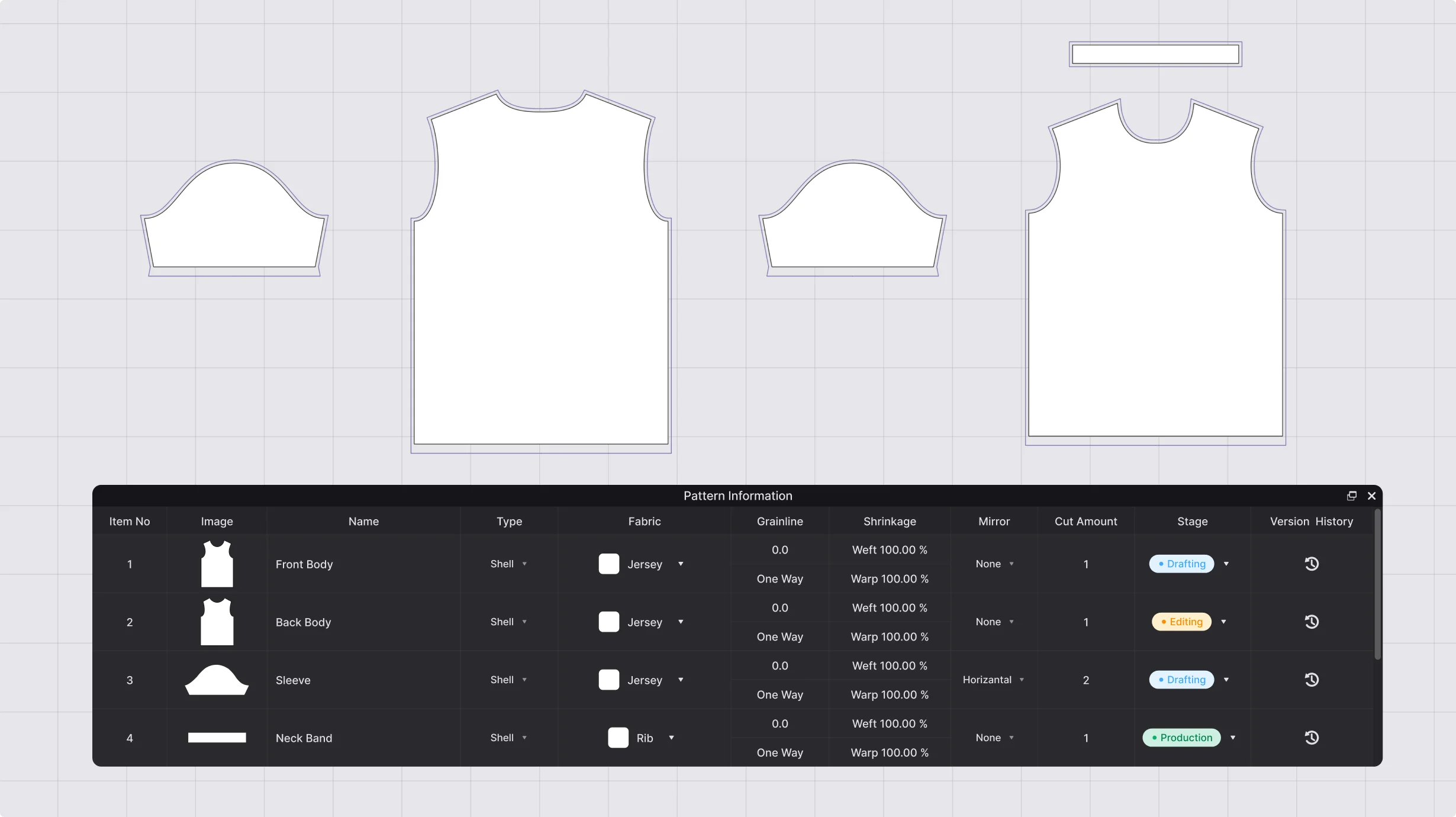
CLO 3D 2026.1 also introduces a new Pattern Information window designed to organize garment data more efficiently.
The panel collects information such as item numbers, names, fabrics and other pattern-related properties in a centralized interface. Users can also access revision history and review previous changes made to the project.
This provides greater control over project organization and can make collaborative workflows easier, particularly when several users need to work with the same garment.
2D Grading Review
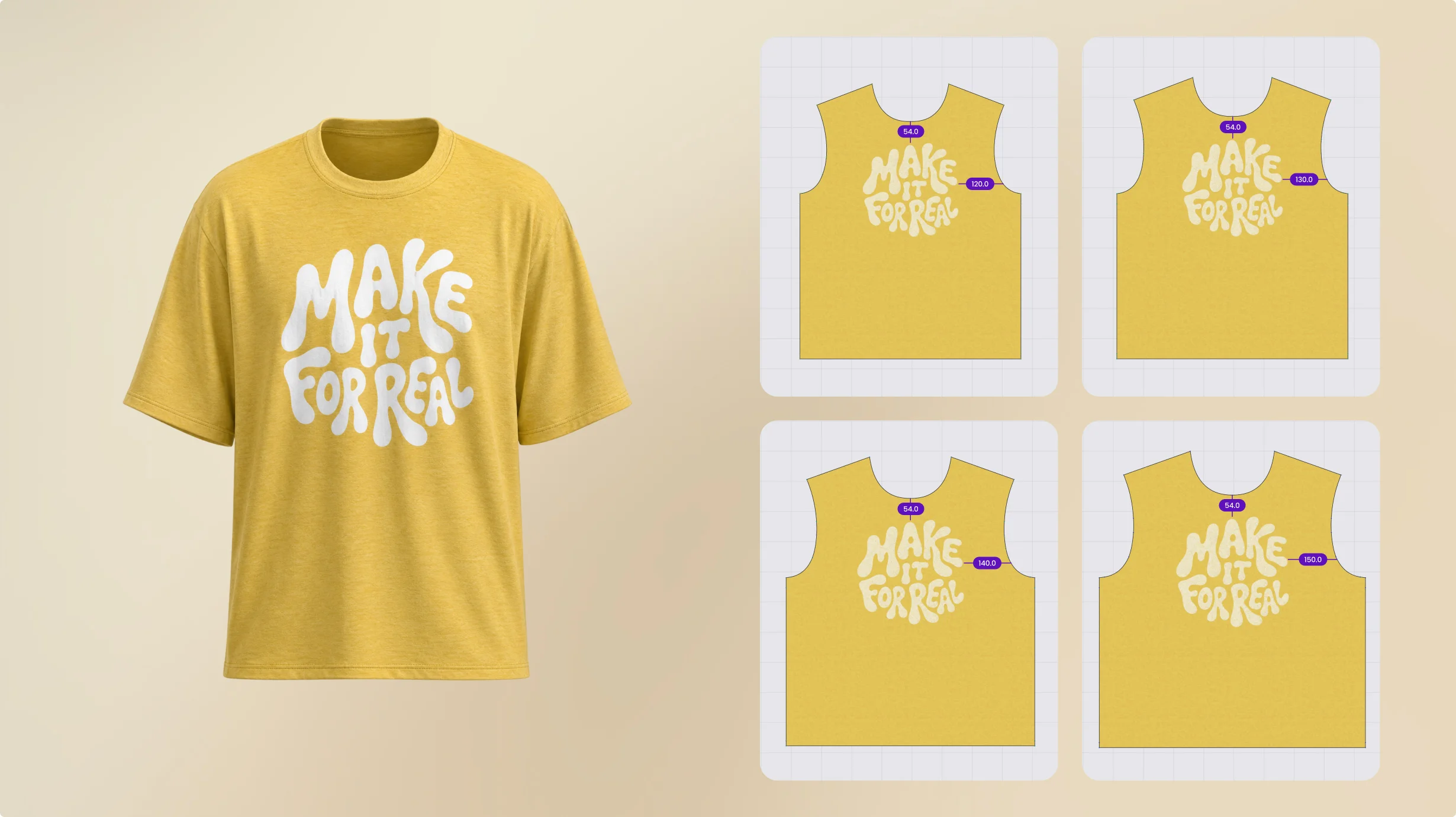
Another workflow improvement comes with the new 2D Grading Review feature.
The tool allows designers to compare graphic placements and measurements across different graded sizes side by side. Additional display options can show pattern names and annotations, making it easier to identify differences between size variations. Once the review is complete, users can save the current layout as a snapshot.
By connecting size grading, 2D pattern development and visual review more closely, the feature helps streamline the transition from pattern design to the final 3D garment.
Ripping and Tearing
CLO 3D 2026.1 also expands garment simulation with new Ripping and Tearing capabilities.
Designers can designate specific sections of a seam as a rip area, define the resistance of the material and simulate the seam opening during the garment simulation.
Because individual seams can be treated separately, users can create different ripping behaviours within the same garment and control how each area responds during simulation. This makes it possible to reproduce controlled tears and ripped details directly within the digital garment workflow, reducing the need for manual post-processing.
New Knit Stitch Types
The update also expands CLO 3D’s stitch creation and editing tools.
The stitch interface now includes a dedicated preview tab that allows designers to see changes while adjusting stitch properties. A new flat view provides a more direct way to edit stitches, while changes to swatch size are reflected immediately in the preview.
CLO 3D also introduces a Smart Selection tool to improve the selection of stitch elements and expands the library of available stitch presets.
These additions give designers more control when creating detailed textile patterns and complex garment surfaces.


CLO zFab Kit
Alongside the 2026.1 update, it is also worth mentioning the CLO zFab Kit, introduced shortly before the release.
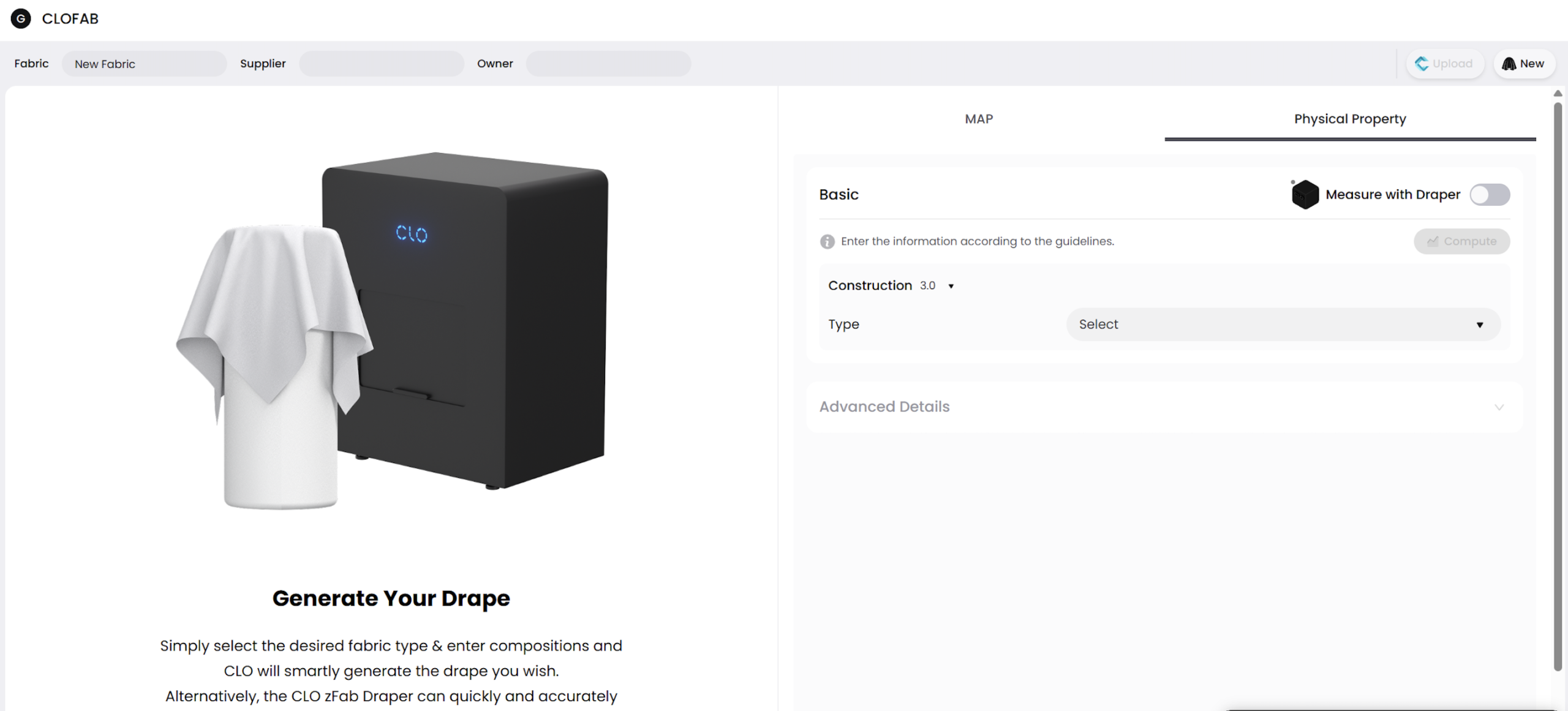
The zFab Kit is an AI-powered fabric digitization solution designed to capture and convert physical fabrics into digital assets. It can operate as a standalone solution without requiring a CLO 3D license. The system combines zFab Cutter, zFab Scanner and zFab Draper to capture physical fabric properties and reproduce them as high-resolution digital materials. This creates a workflow that starts with a physical fabric, converts it into a digital asset and then brings it into the 3D garment design and simulation process.
For designers and fashion companies, this can simplify the creation of digital fabric libraries and reduce the need to manually recreate material properties inside the software.
A More Connected Digital Garment Workflow
CLO 3D 2026.1 focuses less on introducing a single transformative feature and more on improving the different stages of the digital garment workflow.
From Apple Silicon simulation and better pattern organization to grading review, realistic garment damage and expanded stitch tools, the update strengthens the connection between 2D pattern development, 3D modeling and physical material representation.
Combined with tools such as the CLO zFab Kit, the direction is increasingly clear: CLO Virtual Fashion is building a workflow where garments can move from physical materials and 2D patterns to digital simulation and visualization with fewer manual steps.
To find out more, visit the CLO 3D official site.
– article by Giorgio D’Ambrogio