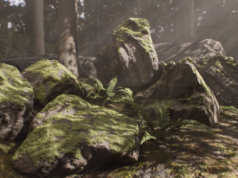



D5 Render, a real-time 3D rendering and visualization software, has released its 3.0 update, introducing a wide range of improvements across rendering, artificial intelligence, asset managment and overall stability. This release adds new environment rendering features such as an advanced Ocean system, volumetric clouds, clouds presets and optimized fog, alongside several AI-driven tools and workflow enhancements.
The following overview takes a closer look at the main rendering, AI, and workflow features introduced with the D5 Render 3.0 update.
Rendering Enhancements
The D5 Render 3.0 update expands the rendering toolset, with a particular focus on environment simulation and material realism.
- Ocean System: Version 3.0 introduces a new Ocean system designed to simulate waves, coastlines, foam, water materials, and physical interactions between water and scene objects. Through automatic terrain detection, D5 Render can generate smooth transitions between land and ocean surfaces, reducing the need for manual adjustments.
- Displacement Materials (Beta): The update adds support for displacement materials, enabling real-time geometric modification to create surface depth and detail. Unlike parallax-based techniques, displacement alters the underlying geometry, resulting in more physically accurate results. As a beta feature, this functionality currently comes with some limitations, including the lack of support for live-synced models.
- Volumetric Clouds and Optimized Fog: D5 Render 3.0 introduces physically based volumetric clouds, along with a set of configurable cloud presets that allow the creation of diverse cloud formations. These tools provide more granular control over sky appearance and lighting. In addition, fog simulation has been reworked with separate color and density controls, offering greater flexibility and visual accuracy.
- Custom Background Color: A new custom background color option allows users to define background tones directly within the viewport. This feature can be useful for stylized visual outputs, parallel projections, and post-production workflows.


AI-Driven Tools
Alongside rendering improvements, D5 Render 3.0 introduces several AI-assisted features aimed at improving efficiency and scene setup.
- AI Image to 3D: D5 Render 3.0 also introduces an AI Image-to-3D feature, allowing users to generate 3D objects directly within the software from reference images using AI-driven structural inference.
- AI Agent, Scene Match, and Asset Recommendation: The update includes an AI Agent capable of assisting with scene matching and asset recommendations based on text prompts or reference images, helping users populate and organize scenes more efficiently.

New Features and Tools
In addition to rendering and AI updates, version 3.0 introduces new tools focused on asset management and procedural content creation.
- D5 Works Integration: D5 Works, the asset library developed for architectural and interior design workflows, has been fully integrated into the D5 Launcher, improving accessibility and asset management.
- Procedural Buildings: The City Generator now includes a procedural building tool that enables the creation of architectural structures in different styles through a procedural workflow.

Additional Improvements
D5 Render 3.0 also includes a range of smaller updates and optimizations:
- Improvements to the Path tool
- A new free navigation mode
- Direct import support for 3D Gaussian Splatting files in
.plyand.gsformats - Spatial Tour, XR tools, Showreel, and Cesium features now available to individual users
- HDRI resolution controls
- Support for texture maps using CMYK color codes
- Improved scatter performance and overall stability
- Optimized object movement and gizmo auto-rotation for local coordinate systems
- Refined pop-ups, prompts, and user interactions
To find out more, visit the D5 Render site.
-article by G. D’Ambrogio