






ArmorPaint is an open-source 3D texturing tool, supporting PBR materials and high-res textures with responsive performance. Developed by the team behind Armory3D, its goal is to offer a powerful free toolset, ideal for those working in modeling and rendering. It is designed to fully leverage GPU power, and allows painting directly onto 3D models in a fluid and responsive way.
ArmorPaint for Texturing
ArmorPaint fully exploits GPU power, ensuring extremely smooth and responsive performance even when working on ultra-high-resolution textures, up to 16K. This optimization allows artists to paint directly on 3D models without lag, seeing every brush stroke, modification, or mask applied in real time.
The ArmorPaint graphics engine is designed to efficiently handle complex assets and heavy scenes, enabling a continuous workflow, excellent for game artists, 3D modelers, and animation studios. Support for multi-threading and real-time rendering means even mid-range hardware can deliver professional-level texturing views while maintaining high visual quality.
Layered and Node-Based System
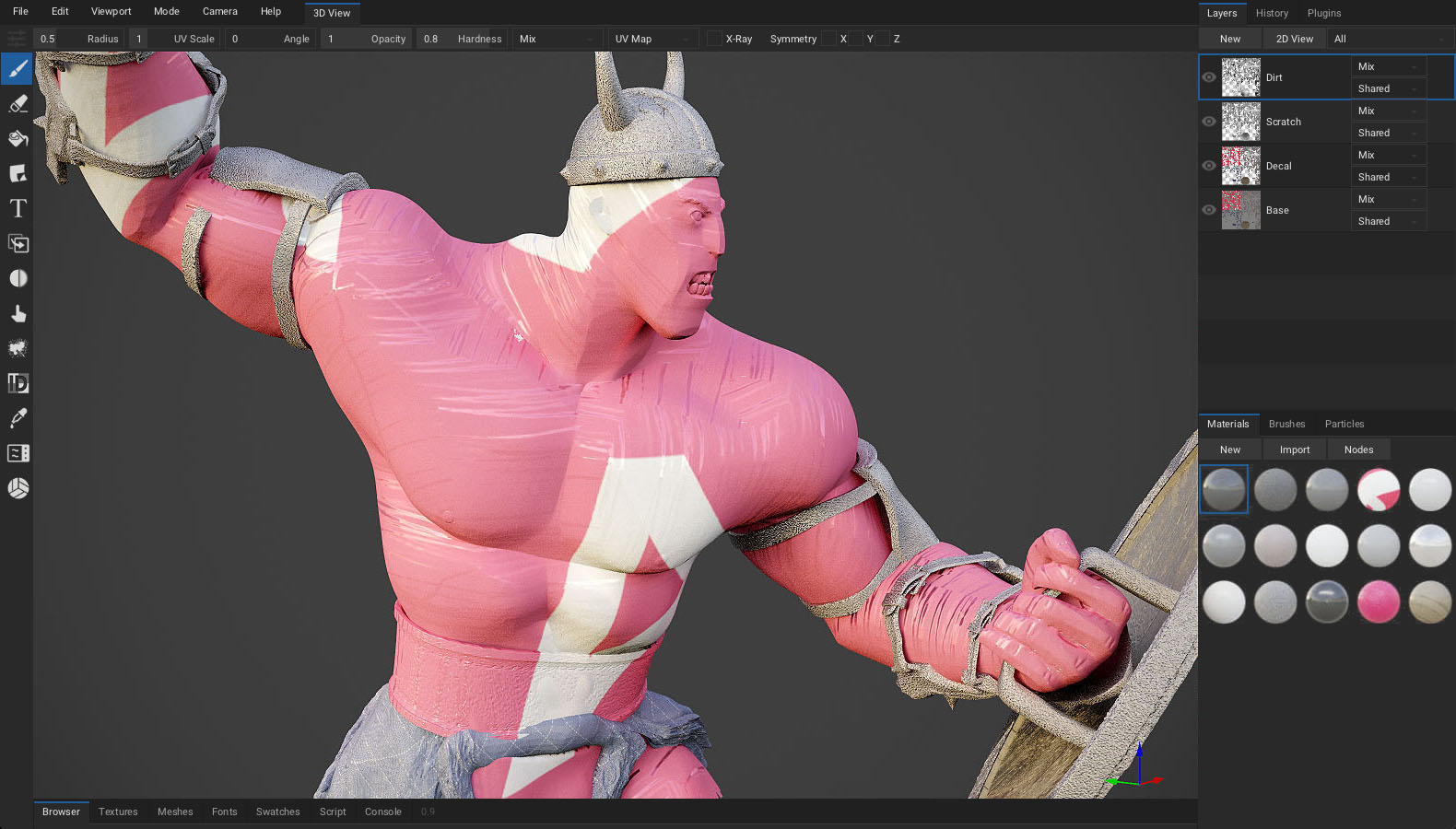
ArmorPaint includes a layer system similar to photo editing software, which allows organizing materials and details modularly, non-destructively, and easily modifiable. Each layer can contain textures, masks, effects, and adjustments, enabling a flexible and professional workflow in material creation.
Supporting this, a powerful node editor lets users visually and deeply control material behavior, brushes, and textures. Users can mix maps, create complex procedural effects, define dynamic masks based on curvature, occlusion, or other inputs, and even build materials reactive to light or environment.
This hybrid approach between layers and nodes offers maximum creative freedom, making ArmorPaint suitable for both realistic and stylized projects, with total control over the final asset’s look.

Advanced Baking
ArmorPaint also supports direct baking of maps such as AO, curvature, thickness, ID, and normal maps, making it complete for those working with optimized game assets.

Path-Traced Rendering
Experimental path-traced viewport modes are available to achieve realistic lighting during texturing or to create professional presentations directly from the software.

Cross-Platform Support and Integration
ArmorPaint is available for Windows, macOS (including Apple Silicon), Linux, and even experimental versions for iPad and Android. It also offers official plugins for Blender, Unreal Engine, and Unity, making material export and re-import extremely smooth.
s and stimulating creativity with a versatile, evolving tool.
Practical Applications
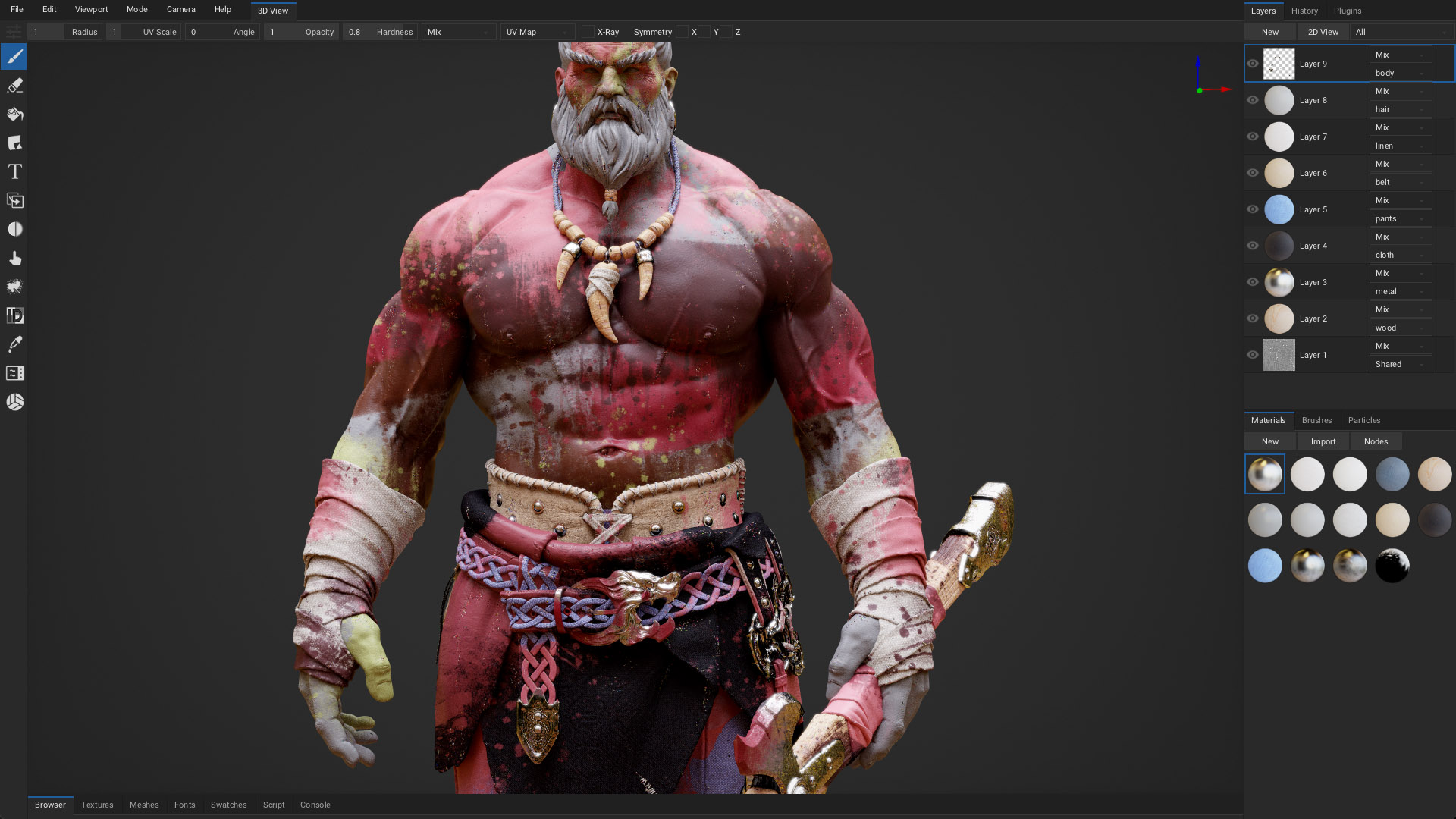
ArmorPaint is an excellent choice for artists and studios due to its ability to export PBR maps fully compatible with engines like Unity and Unreal Engine.
The software efficiently handles complex and heavy assets thanks to workflow optimization. It is therefore frequently used by indie studios and freelancers to create characters, environments, and props optimized for games, animations, and virtual reality.
The ability to work directly on 3D models combined with support for custom materials and advanced levels of detail makes ArmorPaint a valuable resource also in product design, architectural visualization, and 3D graphics education.
Animation and 3D Shorts
The quality of ArmorPaint’s texturing system, combined with the ability to generate high-precision baked maps, makes it suitable for animated content production. In combination with DCC software such as Blender, Maya, or Cinema 4D, ArmorPaint can be integrated into pipelines to prepare both realistic and stylized assets ready for animation or cinematic rendering.
Material management flexibility and compatibility with major export formats and standard maps (Normal, Roughness, AO, Metallic, etc.) ensure perfect consistency between texturing and final rendering, even in complex environments. This makes it especially useful for studios and artists working on films, shorts, commercials, and 3D digital content.
Prototyping and Industrial Design
In industrial design and rapid prototyping, ArmorPaint can simulate real materials (metal, wood, plastic, paint finishes) and create realistic preliminary renders at zero cost.
Education and Training
ArmorPaint is an open-source software with strong educational value. One of its distinctive strengths is its open-source nature, making it a particularly valuable resource for schools, universities, and 3D graphics/game development academies. Being freely distributable, it can be easily integrated into curricula without license costs, promoting access to professional tools.
Its interface and growing documentation enable an accessible but effective learning curve, suitable both for beginners approaching 3D texturing for the first time and for those wanting to deepen advanced digital painting and PBR material techniques. This makes it ideal for courses combining theory and practice, preparing students for modern professional pipelines and stimulating creativity with a versatile, evolving tool.

Strengths
- PBR workflow: You can paint directly onto your 3D model using layers with channels like Base Color, Roughness, Metalness, and Normal.
- Live material preview: Real-time viewport with HDR lighting and support for environment maps.
- Node-based material authoring: Similar to Blender’s Shader Editor. Great if you’re comfortable with node workflows.
- Import/export: You can bring in models in formats like OBJ/FBX/GLTF, and export textures for use in Unreal, Unity, Blender, etc.
- Custom brushes and masks: Includes procedural and image-based brushes, as well as masking and stencil tools.
- Multi-channel painting: You can paint on several channels simultaneously (e.g., colour + roughness + height).
- Cross-Platform Compatibility: Runs on Windows, macOS, and Linux with support for Vulkan, Direct3D, and Metal, offering flexible hardware compatibility.
Current Limitations
- User Interface is Less Polished: UI can feel clunky or unintuitive and some UX aspects (like layer management or viewport navigation) aren’t streamlined.
- Limited Smart Materials and Presets: Lacks a rich library of ready-made smart materials or generators. You need to create most materials from scratch or import them from external sources.
- Less Advanced Baking Tools: Baking normal/AO/curvature maps is possible, but the toolset is not as refined as in Substance Painter.
- No Built-in Asset Management: No asset browser or tagging system for brushes, stencils, or materials.
- No Real Procedural Mask Generators: Lacks built-in mask generators like edge wear, dirt, curvature masks, etc. You have to create these effects using nodes or imported maps manually.
- Limited Layer Effects: Fewer blend modes and adjustment layer options compared to commercial alternatives.
– article by: F. Beranger


