



Substance 3D Painter is a leading 3D texturing software that revolutionizes how digital artists create realistic, detailed surfaces, offering an intuitive and professional workflow for video games, cinema, architecture, design, and more.
Originally developed by Allegorithmic and now part of Adobe, Substance 3D Painter has become a global reference tool for 3D asset texturing. Thanks to its excellent texturing capabilities, Painter is used by AAA game studios, VFX artists, industrial designers, and 3D illustrators. The software allows you to paint directly on 3D meshes like on a canvas, combining artistic intuition with the technical precision required in modern productions.
We already wrote about Substance Painter 2 back in 2016 here, if you’d like to see the achievements of this great tool over almost a decade.
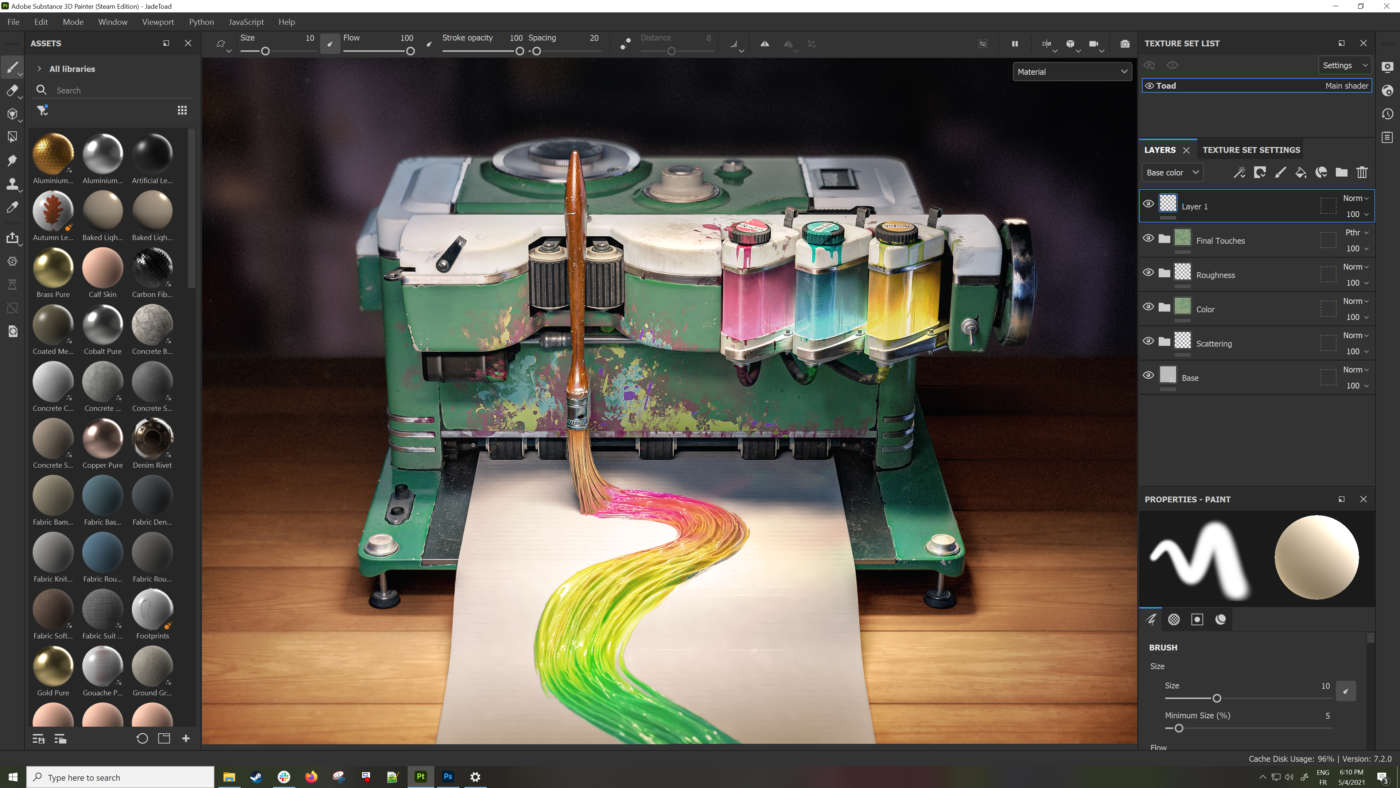
Advanced Texturing: Layers, Masks and Dynamic Materials
Substance 3D Painter’s workflow is based on layers, similar to Photoshop but applied to three-dimensional surfaces. Each layer can contain color, roughness, normal, metallic, height, and opacity maps, and can be controlled using standard masks or smart masks that automatically react to the object’s geometry and position.
Painter also offers procedural generators (dirt, edge wear, curvature, ambient occlusion) that automate realistic details such as metal wear on edges, dust accumulation in crevices, or abrasions on skin or plastic. These effects can be combined with 3D dynamic brushes, stencils, and image projections for highly customized results.
Smart Materials are preconfigured packages that include multilayer textures, adaptive masks, and realistic physical behaviors. For example, a “rusty steel” material will automatically apply rust around edges and dirt in concave areas, responding to the model’s topology.

Real-Time Viewport and Iray Rendering
Substance Painter’s PBR (Physically Based Rendering) viewport shows the final textured result in real time, simulating lighting, reflections, and materials as they will appear in game engines or final renderers.
You can import HDRi maps to test materials under specific lighting conditions (e.g., a photo studio, an outdoor sunset scene, an interior with artificial lighting). Painter also supports dynamic real-time lighting, making the work very similar to that of a lighting artist.
For those requiring higher-quality renders, the integrated Iray rendering engine produces photorealistic images directly within the software, eliminating the need to export to external renderers such as V-Ray, Arnold, or Blender Cycles.
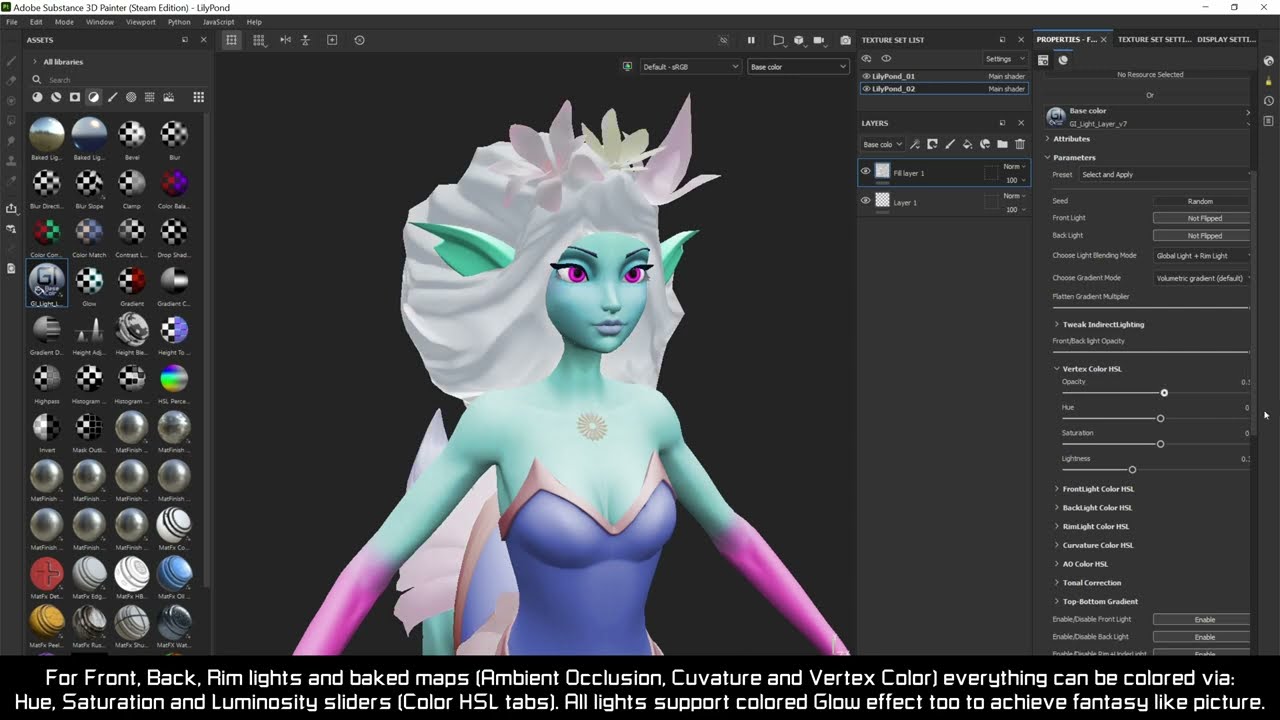
Compatibility, Baking, and Professional Workflow
Substance 3D Painter supports a wide range of formats: FBX, OBJ, USD, GLTF, and offers export presets for major rendering engines and game engines such as Unreal Engine, Unity, V-Ray, Arnold, Redshift, Blender, Octane, CryEngine, and more.
The built-in baking system generates all necessary maps (normal, ambient occlusion, curvature, thickness, world space normal, position, ID map, etc.) from high-poly and low-poly meshes. This process is fundamental for creating optimized assets for games and virtual reality, where lightweight geometry with high visual detail is essential.
Painter also supports the UDIM workflow, allowing texturing of high-resolution models divided across multiple UV tiles, maintaining optimal quality and organization.
For studios with a specific workflow it is also possible to setup a custom production pipeline through an advanced system of hierarchical set of project files. Here is the direct link to the documentation.
Key Features of Substance Painter for Game Art
- Non-destructive texturing based on layers and masks
- Smart Materials and realistic effect generators
- Customizable brushes with jitter, alphas, and projection
- PBR viewport with HDRi support and dynamic lighting
- Integrated advanced baking for technical and artistic maps
- Support for UDIM and multi-channel workflows
- Texture export presets for all major 3D software and game engines
- Iray engine for integrated photorealistic rendering
- Compatibility with Substance 3D Designer for parametric materials

Practical Uses in Industry of Substance Painter for Game Art
- Game Development: Texturing characters, weapons, environments, and realistic objects optimized for real-time rendering. 3D assets are imported from other modeling software.
- Film and VFX: Texturing high-poly assets for creatures, vehicles, and complex environments in cinematic pipelines.
- Industrial Design: Visual prototyping of products such as cars, appliances, or packaging, thanks to surface precision and material realism.
- Fashion and 3D Interiors: Texturing fabrics, metal, and plastic surfaces for digital objects in Marvelous Designer, Clo3D, and visualization software.
- 3D Concept Art: For illustrators and designers wanting to create impactful 3D visual concepts quickly.
Substance 3D Painter has revolutionized how digital artists work on 3D surfaces by offering a workflow that seamlessly blends art and technique. It is a powerful, versatile, and essential tool for anyone looking to achieve professional results in creating complex, realistic textures. Whether for video games, cinematic visual effects, prototyping, or 3D illustration, Painter provides everything needed to take your models to the next level.
– article by: F Beranger